


Medivet
Practice search & practice pages redesign
Role
Sole UX/UI Designer
Responsibilties
Research · UX/UI design · Prototyping · Testing · Dev handoff
Scope
Search results · Practice detail pages · Responsive design
Success metric
Increase online practice registrations
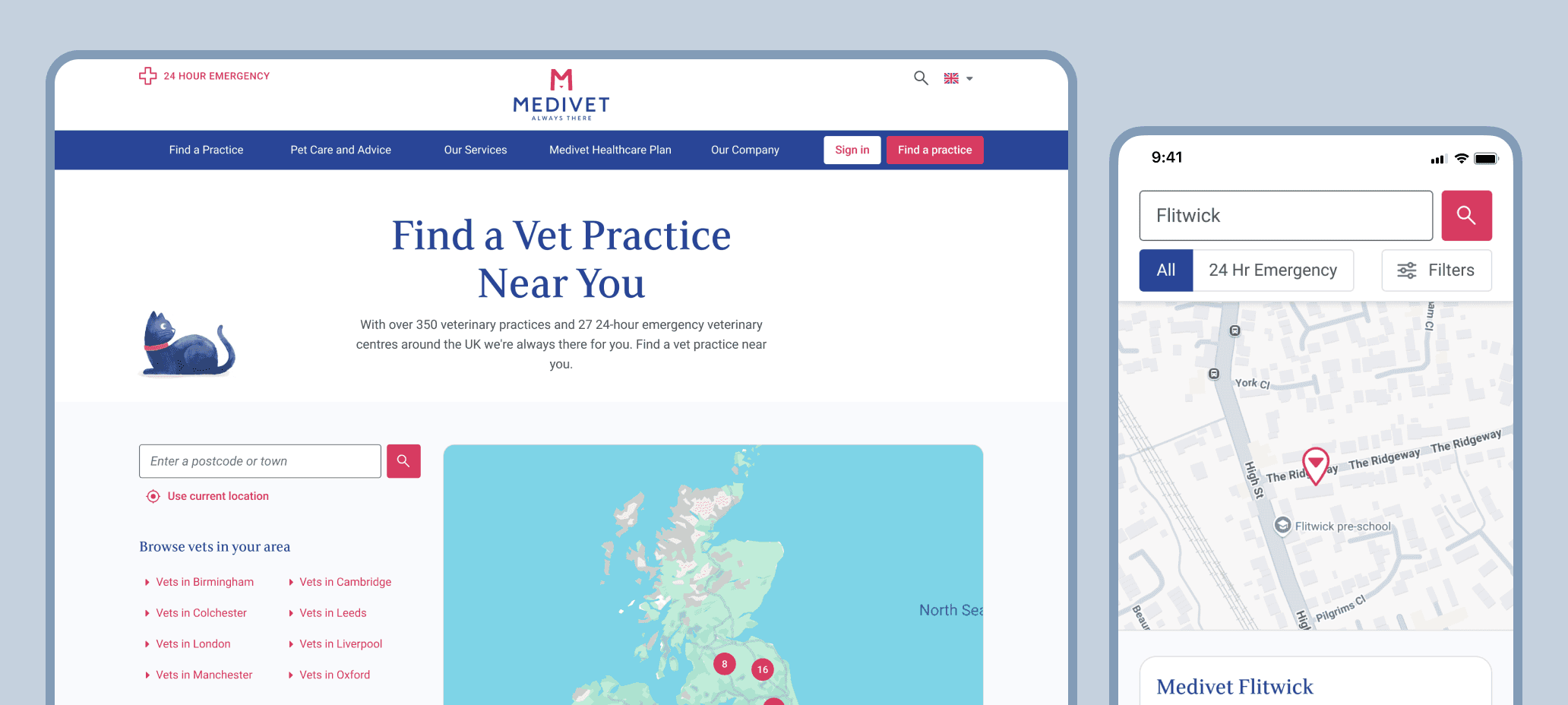
The challenge
Medivet operates hundreds of veterinary practices across the UK, and their website plays a critical role in helping pet owners find a nearby practice, understand what's on offer, and register or book. The existing experience functioned, but it didn't feel modern or intuitive compared to other search journeys — and prior usability testing by an external agency had surfaced some real friction: users were consistently confused by the difference between "Register at this practice" and "Book appointment", and many expected to see pricing information on the practice page but couldn't find it.
For many users, choosing a vet isn't a calm, considered decision. It often happens under stress. The experience needed to feel clear, trustworthy, and reassuring.
Users
The primary users were pet owners — often on mobile, sometimes dealing with an urgent or worrying situation, and typically comparing a handful of practices based on location, parking, opening hours, reviews, and services. In informal interviews with colleagues and family, the same things came up repeatedly: distance and maps, reviews, parking, emergency contact info, and pricing transparency. That shaped both the content priority and the tone of the redesign.
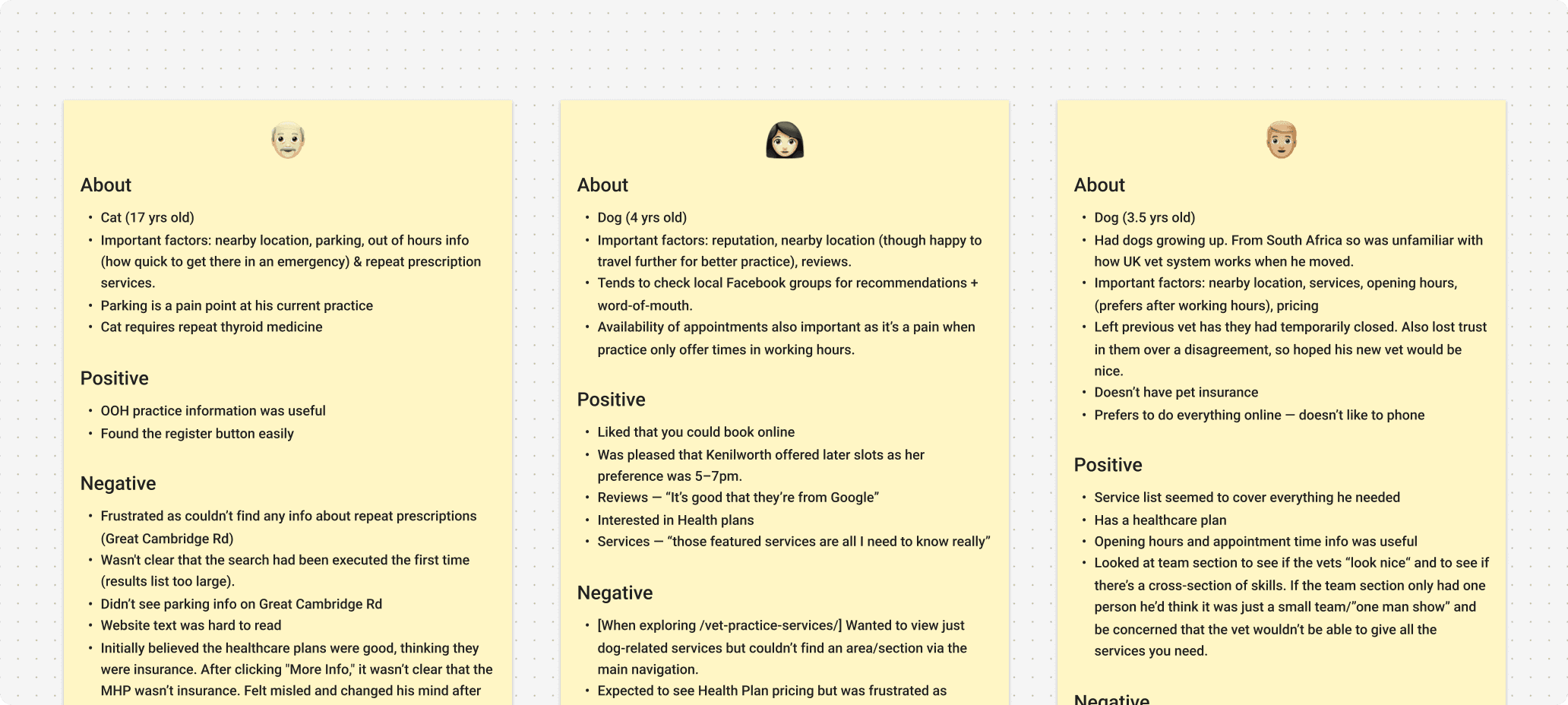
Notes from informal user interviews
Process
Working within a limited budget, I put together a focused UX strategy rather than a full research programme. This started with light user research — face-to-face interviews — alongside competitor analysis looking at both direct competitors and non-adjacent search journeys (retail, hospitality, healthcare) to identify good patterns. I also analysed heatmap data from Microsoft Clarity on the existing practice pages, which helped inform content ordering and revealed what users were actually engaging with. Prototypes were then tested across desktop and mobile using Userfeel, and that feedback fed directly into iteration.
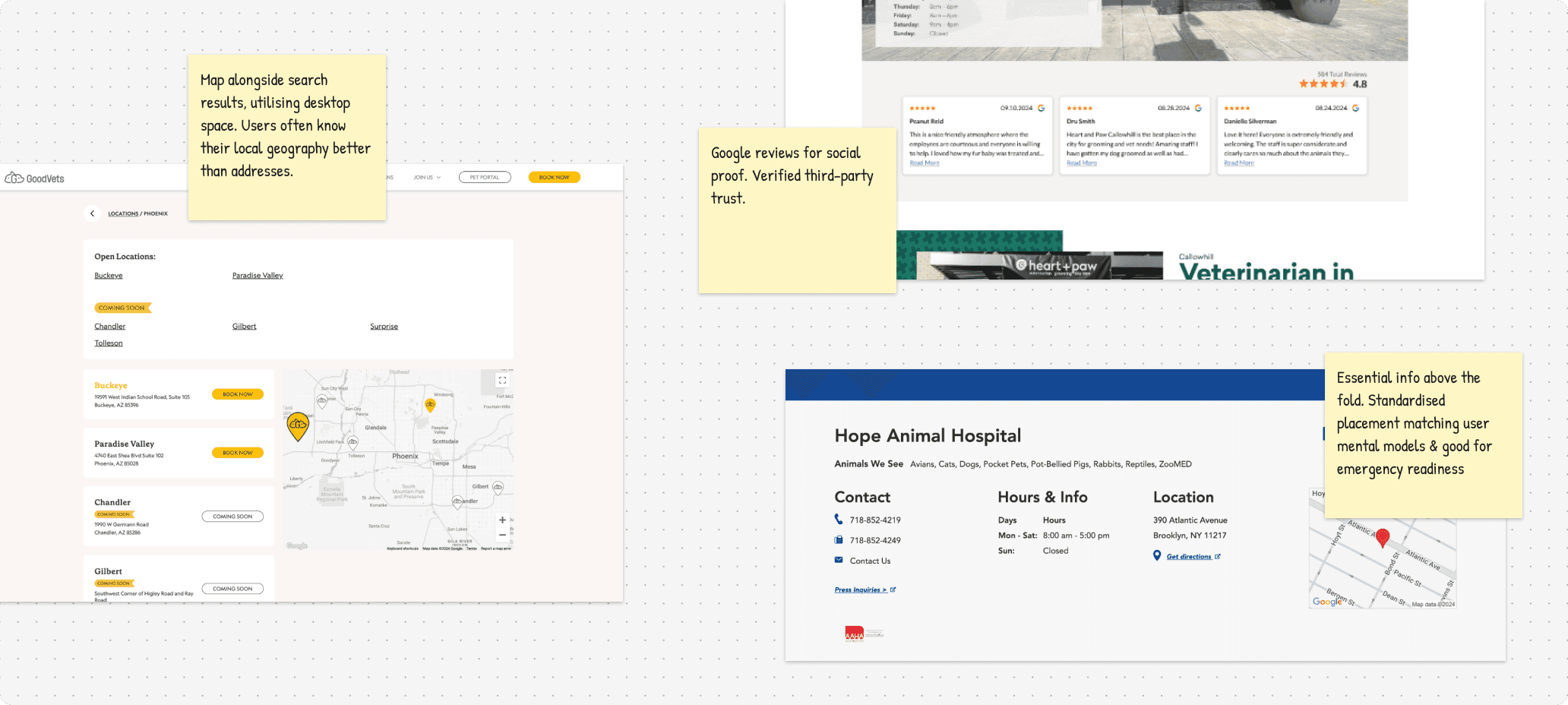
Competitor analysis mapped out in FigJam
Key design decisions
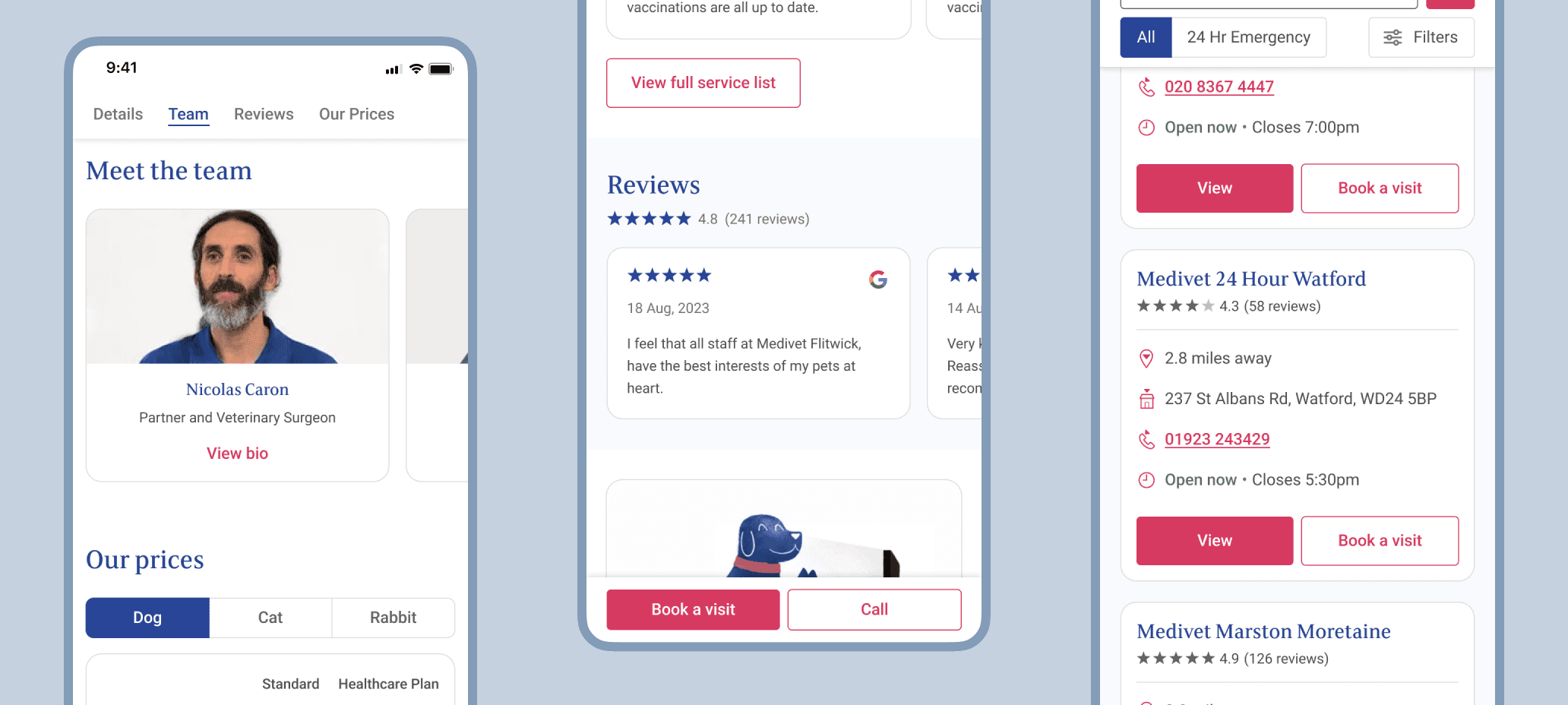
Embedded maps on search and practice pages. Nearly every interview participant checked location first. Adding maps to both pages reduced the cognitive effort of orienting yourself geographically before you'd even read the details.
Clear, simplified CTAs. The "Register vs Book" confusion was a documented problem. I addressed it through clearer visual hierarchy, simplified wording, consistent placement, and sticky CTAs. Users in testing understood the next steps immediately.
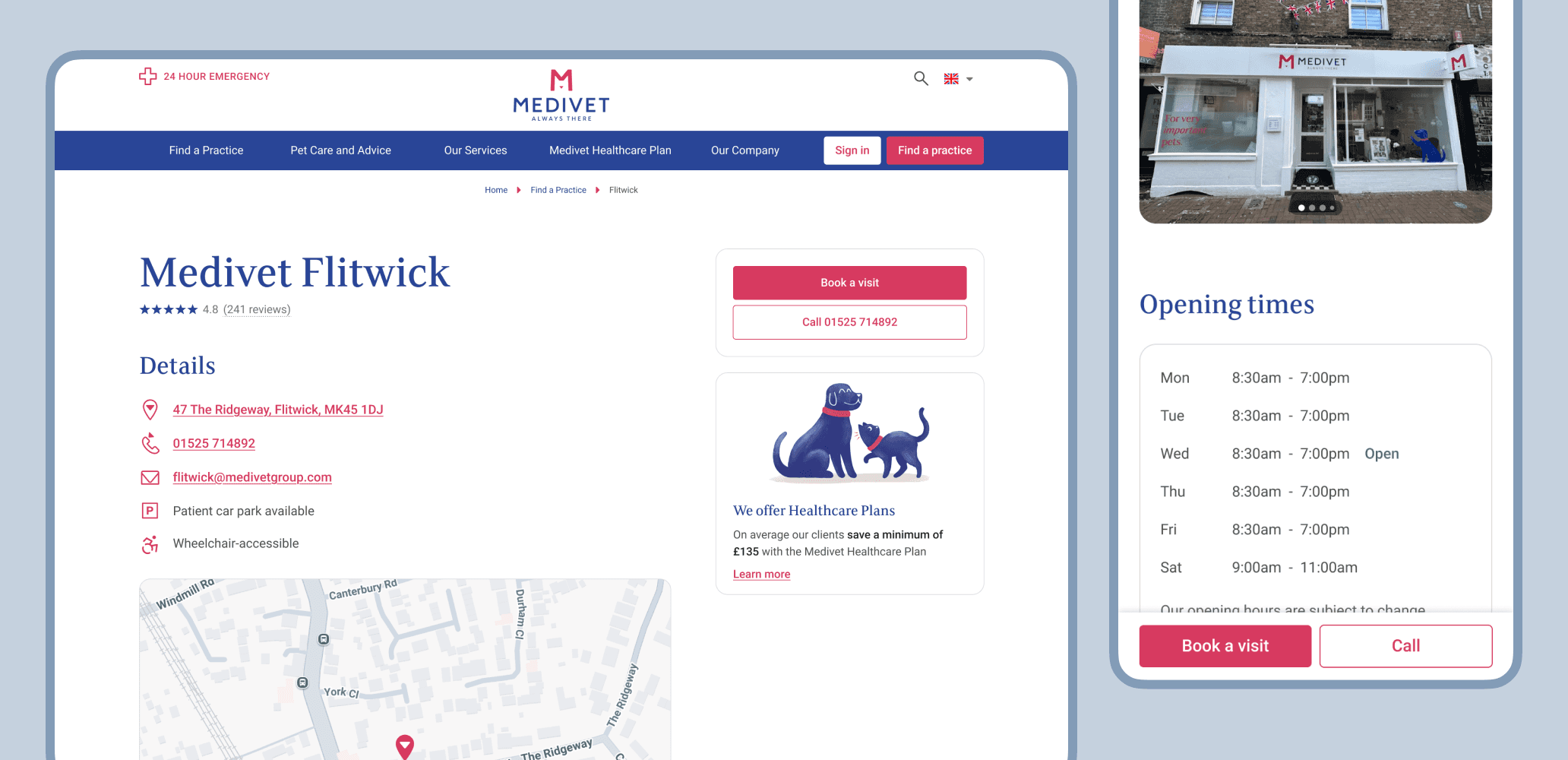
Sticky CTAs across desktop and mobile
Scannable practice pages with trust signals. People weren't just comparing services — they were judging whether a practice felt trustworthy and friendly. I reorganised the page to surface reviews near the top, include team photos, display pricing blocks clearly, and bring opening hours and contact info above the fold.
Responsive, systemised components. I built reusable components — result cards, maps, CTA groups, service lists, info blocks — ensuring consistency and making rollout across multiple regions straightforward.
Outcome
Usability testing showed strong clarity improvements, with ease-of-use frequently rated 9–10/10. Users described the experience as clear, professional, and easy to navigate. Stakeholder confidence improved, and the redesign is believed to have contributed to an increase in online practice registrations — Medivet's core KPI.
Takeaway
In healthcare contexts, clarity builds trust. Small improvements to hierarchy, wording, and layout had more impact than adding new features. The goal wasn't to impress — it was to help people make confident decisions quickly.